Skip to main contentSkip to navigation

Voluntary Product Accessibility Template™

The purpose of the Voluntary Product Accessibility Template is to assist Federal contracting officials in making preliminary assessments regarding the availability of commercial Electronic and Information Technology products and services with features that support accessibility.

The first table of this Template provides a summary view of the section 508 Standards. The subsequent tables provide more detailed views of each subsection. There are three columns in each table. Column one of the Summary Table describes the subsections of subparts B and C of the Standards. The second column describes the supporting features of Dolphin Guide. The third column contains any additional remarks and explanations regarding Dolphin Guide. In the subsequent tables, the first column contains the lettered paragraphs of the subsections. The second column describes the supporting features of Dolphin Guide with regard to that paragraph. The third column contains any additional remarks and explanations regarding the product.

Table 1: Summary Table for Dolphin Guide v5.09
Voluntary Product Accessibility Template™
Criteria Supporting Features Remarks and Explanations
Section 1194.21
Software Applications and Operating Systems
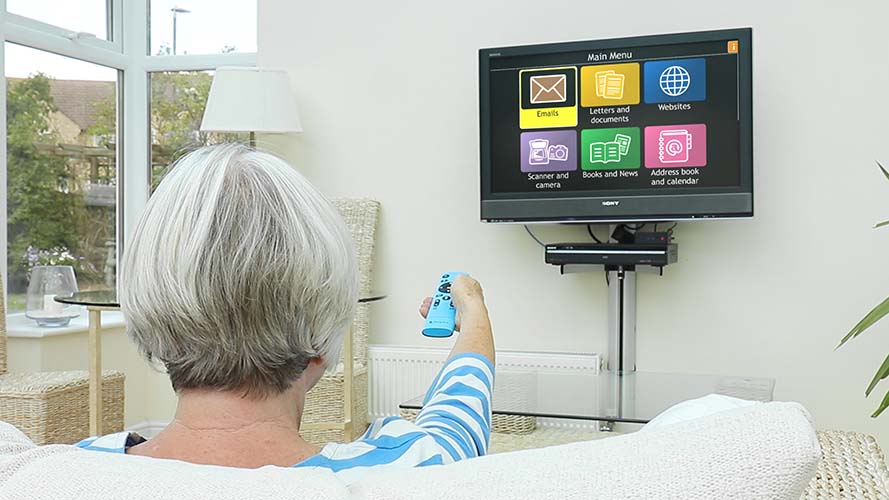
Supports with Exceptions and through Equivalent Facilitation. Please refer to the attached VPAT. This application provides an alternative text-based interface to the PC desktop with simple menus, adjustable text-to-speech output, and its own high-contrast display options and zooming functionality. Included are a number of simple tools with consistent user interface controls, including: email, contacts, calendar, file management and reader/player for various formats including audio, video, and images, simple word processing, OCR, voice memos, web access, calculator, dictionary, and a scanner and CD/DVD R/W interface among others. See http://www.yourdolphin.com/Guide. Audio adjustments and access to external screen reader application controls (e.g., Jaws hotkeys) may be limited. Installation from web download may require Compatible Assistive Technology to operate the WinZip Self-Extractor.
Section 1194.22
Web-based Internet Information and Applications
Not Applicable. A web page and blog reader are included in the software offering text to speech output and options for enhancing the visual display of the text or images.  See Section 1194.21,
Software Applications and Operating Systems.
Section 1194.23
Telecommunications Products
Not Applicable.  
Section 1194.24
Video and Multi-media Products  
Not Applicable.  
Section 1194.25
Self-Contained, Closed Products
Not Applicable.  
Section 1194.26
Desktop and Portable Computers
Not Applicable.  
Section 1194.31
Functional Performance Criteria
Supports. Please refer to the attached VPAT.  
Section 1194.41
Information, Documentation and Support
Supports. Please refer to the attached VPAT.  
Table 2: Section 1194.21
Software Applications and Operating Systems - Detail
Criteria Supporting Features Remarks and Explanations
(a) When software is designed to run on a system that has a keyboard, product functions shall be executable from a keyboard where the function itself or the result of performing a function can be discerned textually. Supports All functions and features of Guide software can be executed via the keyboard.  
(b) Applications shall not disrupt or disable activated features of other products that are identified as accessibility features, where those features are developed and documented according to industry standards. Applications also shall not disrupt or disable activated features of any operating system that are identified as accessibility features where the application programming interface for those accessibility features has been documented by the manufacturer of the operating system and is available to the product developer. Supports through Equivalent Facilitation with Exceptions   Facilitation: Guide has its own controls for adjusting Guide’s display and speech output settings. Exception: Guide’s display settings override the computer’s system settings. During installation, the Guide display and speech output settings are not adjustable and may not meet the needs of some users.
Facilitation: the default display (high contrast yellow text on black) and screen reader settings are optimized for the majority of users during installation and are easily changed after installation.
Exception: Guide’s volume controls are not available during operation of some tasks and occasionally do not function as expected for certain tasks involving audio output. The controls for text to speech output are in the Guide system settings and they do meet accessibility guidelines and function as expected.
Exception: Guide may prohibit the user from adjusting another running application with a hotkey command (such as the hotkey to unload Jaws), but Alt-Tab does function as expected to allow the user to switch to a different running application.
Facilitation: A toggle setting in the Guide Settings menu can stop Guide from taking over the Windows Desktop, but Guide is set to ‘take over’ the Desktop by default.
(c) A well-defined on-screen indication of the current focus shall be provided that moves among interactive interface elements as the input focus changes. The focus shall be programmatically exposed so that Assistive Technology can track focus and focus changes. Supports The input focus is clearly indicated within the guide application.
(d) Sufficient information about a user interface element including the identity, operation and state of the element shall be available to Assistive Technology. When an image represents a program element, the information conveyed by the image must also be available in text. Supports  
(e) When bitmap images are used to identify controls, status indicators, or other programmatic elements, the meaning assigned to those images shall be consistent throughout an application's performance. Supports Graphic status indicators are accompanied by voice output announcing “Please wait.”
(f) Textual information shall be provided through operating system functions for displaying text. The minimum information that shall be made available is text content, text input caret location, and text attributes. Supports  
(g) Applications shall not override user selected contrast and color selections and other individual display attributes. Supports with Equivalent Facilitation Guide has its own settings for display attributes that override the system display attributes. These settings are adjustable except during installation and default to a high-contrast yellow text on black background with large font. F12 will increase the font size at any time.
(h) When animation is displayed, the information shall be displayable in at least one non-animated presentation mode at the option of the user. NA  
(i) Color coding shall not be used as the only means of conveying information, indicating an action, prompting a response, or distinguishing a visual element. Supports Guide does not use color coding to convey information, and all information is conveyed via text with speech output. 
(j) When a product permits a user to adjust color and contrast settings, a variety of color selections capable of producing a range of contrast levels shall be provided. Supports Guide provides users with color and contrast settings through its System Settings menu option.
(k) Software shall not use flashing or blinking text, objects, or other elements having a flash or blink frequency greater than 2 Hz and lower than 55 Hz. Supports  
(l) When electronic forms are used, the form shall allow people using Assistive Technology to access the information, field elements, and functionality required for completion and submission of the form, including all directions and cues. Supports  
Table 3: Section 1194.31 Subpart C
Functional Performance Criteria
Criteria Supporting Features Remarks and Explanations
(a) At least one mode of operation and information retrieval that does not require user vision shall be provided, or support for assistive technology used by people who are blind or visually impaired shall be provided. Supports Guide is specifically designed for people with limited or no vision and includes adjustable text and speech output.
(b) At least one mode of operation and information retrieval that does not require visual acuity greater than 20/70 shall be provided in audio and enlarged print output working together or independently, or support for assistive technology used by people who are visually impaired shall be provided. Supports Guide supports users with low vision with configurable speech output and text display options. Additionally, Guide provides interactive magnification for viewing images and web content.
(c) At least one mode of operation and information retrieval that does not require user hearing shall be provided, or support for assistive technology used by people who are deaf or hard of hearing shall be provided. Supports User hearing is not required to operate Guide. All Guide information that is spoken is also accompanied by a visual representation of the information.
(d) Where audio information is important for the use of a product, at least one mode of operation and information retrieval shall be provided in an enhanced auditory fashion, or support for assistive hearing devices shall be provided. Supports with Exceptions or when combined with Compatible Assistive Technology The volume of Guide’s speech output can be fully adjusted with the speech controls, but the volume controls for certain file formats (including voice memos) can not be increased. 
(e) At least one mode of operation and information retrieval that does not require user speech shall be provided, or support for assistive technology used by people with disabilities shall be provided. Supports User speech is not required to operate Guide.
(f) At least one mode of operation and information retrieval that does not require fine motor control or simultaneous actions and that is operable with limited reach and strength shall be provided. Supports Guide does not require the use of any fine motor skills beyond pressing a single key on a keyboard.
Table 4: Section 1194.41
Information, Documentation, and Support
Criteria Supporting Features Remarks and Explanations
(a) Product support documentation provided to end-users shall be made available in alternate formats upon request, at no additional charge. Supports The Guide manual is available in soft copy to be used by screen readers.    
(b) End-users shall have access to a description of the accessibility and compatibility features of products in alternate formats or alternate methods upon request, at no additional charge. Supports Guide accessibility and compatibility information is available on www.yourdolphin.com.
 
(c) Support services for products shall accommodate the communication needs of end-users with disabilities. Supports Accessible support services are provided at www.yourdolphin.com.

Phone 0845 130 53 53
USA  Scandinavia  Rest of World
Dolphin addresses